
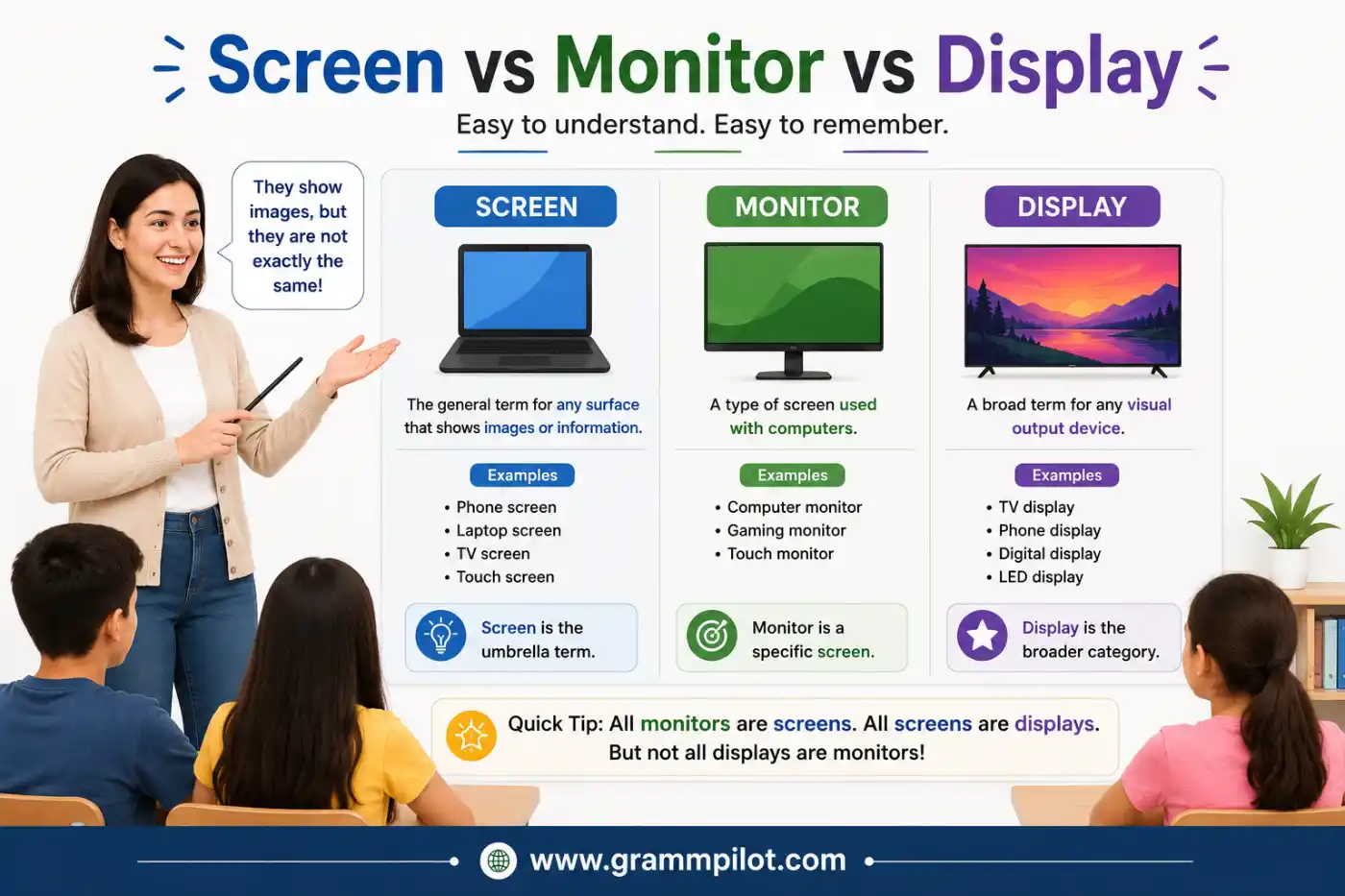
“Screen vs Monitor vs Display” might sound like the same thing.Whether you’re writing an email, finish a school essay, update your resume, or send a quick text, then wondered whether to call the thing in front of you a screen, monitor, or display? Many people use these words as if they mean exactly the same thing. In everyday conversation, that’s usually fine. But they’re not always identical.
The difference becomes more important when you’re buying a computer, reading tech reviews, fixing a device, or talking about electronics. Using the right word can help you understand product descriptions and explain problems more clearly.
The good news is that the difference is easy to learn. Once you know what each word really means, you’ll use them with confidence in both casual conversations and professional settings.
Quick Answer: Screen vs Monitor vs Display comes down to function. A screen is the surface you look at, a monitor is a complete output device connected to a computer, and a display is the technology that shows visual information on almost any electronic device.
In this guide, you’ll learn where these words came from, what they really mean, when to use each one, common mistakes to avoid, and many useful alternatives with real-life examples.
Another pair that can be easy to confuse is Quaff or Coif.
What Does “Screen vs Monitor vs Display” Really Mean?
Although people often swap these words, each one has its own meaning.
| Term | Simple Meaning | Common Use |
|---|---|---|
| Screen | The surface where you see images | Phones, laptops, TVs, tablets, monitors |
| Monitor | A complete computer display device | Desktop computers, offices, gaming setups |
| Display | Any technology that presents visual information | Phones, smartwatches, TVs, laptops, cars |
Think of it this way:
- Every monitor has a screen.
- Every monitor also has a display system.
- But not every screen is a monitor.
- And not every display is a monitor.
A Simple Example
Imagine you’re using a desktop computer.
- The large device on your desk is the monitor.
- The glass surface you look at is the screen.
- The images appearing on it are created by the display technology.
All three words relate to the same device, but they describe different things.
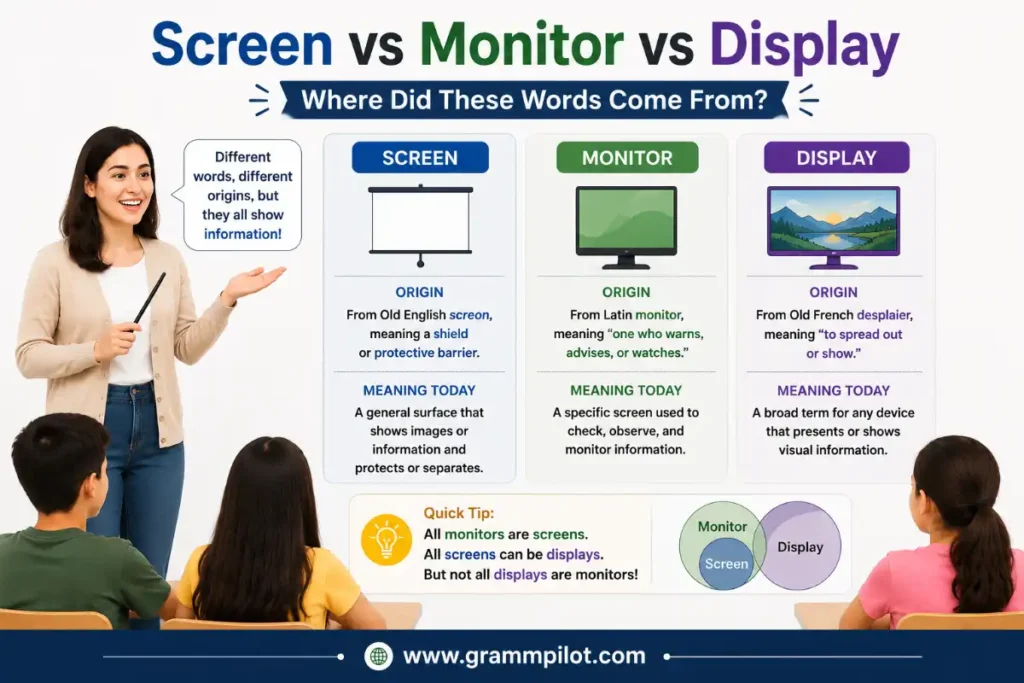
Screen vs Monitor vs Display:Where Did These Words Come From?
Many articles explain only today’s meanings. Knowing where these words came from makes the differences much easier to remember.
Origin of “Screen”
The word screen comes from old Germanic languages. Hundreds of years ago, a screen was something that protected, covered, or separated people from heat, wind, or unwanted views. Later, the meaning expanded.
Movie theaters began using large white surfaces called screens because they displayed projected images. When televisions and computers became common, the visible surface showing pictures was also called a screen.Today, the word usually refers to the part you actually look at.
Origin of “Monitor”
The word monitor comes from the Latin word monere, which means to warn, to remind, or to advise.Originally, a monitor was a person or something that observed and reported information. When computers became popular, the device that showed what the computer was doing became known as a monitor because it allowed users to monitor their work. That’s why the word is still mainly connected with desktop computers.
Origin of “Display“
The word display comes from the Old French word despleier, meaning to unfold or to spread out for viewing. Eventually, English speakers began using display for anything shown openly. Today, technology companies use it to describe any system that presents visual information, whether it’s on a phone, smartwatch, car dashboard, television, tablet, laptop, or digital sign.
What’s the Difference Between a Screen, Monitor, and Display?
Here’s the easiest way to remember it.
Screen
A screen is the physical viewing surface.
When someone says: “My phone screen is cracked.”
They’re talking about the glass or visible area, not the whole phone.
Other examples include:
- laptop screen
- TV screen
- cinema screen
- tablet screen
The word focuses on what you see.
Monitor
A monitor is a complete hardware device.
It includes much more than the screen itself:
- display panel
- electronics
- power supply
- ports
- stand
- casing
For example: “I bought a new 27-inch monitor.”
This means you purchased the entire computer display unit.
Display
Display is the broadest word.
It can mean:
- the picture shown
- the technology producing the picture
- the entire visual output system
For example:
- OLED display
- Retina display
- LCD display
- AMOLED display
Manufacturers often use “display” because it sounds more technical and covers many different devices.
When Should You Use Each Word?
Here’s a quick guide.
| Situation | Best Word | Why |
|---|---|---|
| Talking about a cracked phone | Screen | Refers to the visible surface |
| Buying a desktop accessory | Monitor | Refers to the whole device |
| Reading phone specifications | Display | Refers to display technology |
| Discussing image quality | Display | Covers brightness, color, and resolution |
| Watching a movie | Screen | Most natural everyday word |
| Office computer setup | Monitor | Standard professional term |
Screen vs Monitor vs Display: Are They Interchangeable?
Sometimes.
In everyday conversation, people often understand all three words without confusion.
For example:
- “Your screen looks bright.”
- “Your monitor looks bright.”
- “Your display looks bright.”
All three sentences make sense.
However, in technical discussions, choosing the right word makes your meaning more precise.
Imagine a technician asks: “Is the screen cracked, or is the display not working?”
These are two different problems. A cracked screen is physical damage. A display problem may involve flickering, dead pixels, or internal hardware issues even if the screen itself isn’t broken.
That’s why understanding Screen vs Monitor vs Display helps in real situations, not just grammar or vocabulary.
Master Synonym List for Screen, Monitor, and Display
The English language offers many related words. Some are casual, some are technical, and some fit only specific situations.
The table below groups the most useful alternatives.
| Word | Meaning | Tone | Example |
|---|---|---|---|
| Screen | Viewing surface | Everyday | The screen is dirty. |
| Monitor | Computer display device | Neutral | I bought a new monitor. |
| Display | Visual output system | Formal | The display supports HDR. |
| Panel | Flat display surface | Technical | The IPS panel has better colors. |
| Monitor unit | Complete monitor | Technical | Replace the monitor unit. |
| Viewing surface | Area you look at | Formal | Clean the viewing surface carefully. |
| Visual display | Shown image | Formal | The visual display looks sharp. |
| LCD | Liquid Crystal Display | Technical | This LCD is energy efficient. |
| LED display | LED-lit screen | Technical | The LED display is brighter. |
| OLED display | Organic LED display | Technical | OLED displays have deep blacks. |
| Touchscreen | Touch-sensitive screen | Everyday | The touchscreen stopped responding. |
| Digital display | Electronic visual output | Neutral | The digital display shows the speed. |
| Output device | Hardware showing information | Technical | A monitor is an output device. |
| Video display | Screen for video output | Technical | The video display supports 4K. |
| Projection screen | Surface for projectors | Neutral | The projection screen is huge. |
| Cinema screen | Movie viewing surface | Everyday | The cinema screen was enormous. |
| TV screen | Television viewing area | Everyday | The TV screen has fingerprints. |
| Laptop screen | Laptop viewing surface | Everyday | My laptop screen cracked yesterday. |
| Phone screen | Smartphone display surface | Everyday | Her phone screen shattered. |
| Tablet screen | Tablet viewing area | Everyday | The tablet screen is bright. |
| Dashboard display | Vehicle information screen | Technical | The dashboard display shows fuel levels. |
| Visual panel | Display surface | Technical | The visual panel produces vivid colors. |
| Electronic display | Digital visual output | Formal | The electronic display refreshed instantly. |
| Display module | Internal display assembly | Technical | The repair shop replaced the display module. |
Which Synonyms Are Used Most Often?
In everyday English, these are by far the most common:
- Screen
- Monitor
- Display
- Touchscreen
- Panel
- TV screen
- Laptop screen
- Phone screen
- Display panel
- Output device
Most people rarely need the highly technical terms unless they’re reading repair guides, product specifications, or computer manuals.
Synonyms by Intensity (Mild → Strong)
Not every related word carries the same level of meaning. Some are broad, everyday terms, while others are much more specific or technical.
“Screen”
| Intensity | Word | Best Use |
|---|---|---|
| Very General | Surface | Talking about the front area |
| Mild | Screen | Everyday conversation |
| Moderate | Touchscreen | Phones and tablets |
| Moderate | Viewing surface | Formal writing |
| Strong | Display panel | Repair guides |
| Very Technical | LCD panel | Hardware discussions |
| Most Technical | OLED panel | Product specifications |
“Monitor”
| Intensity | Word | Best Use |
|---|---|---|
| General | Computer screen | Casual speech |
| Mild | Monitor | Everyday and office use |
| Moderate | External monitor | Multiple-display setups |
| Moderate | Desktop monitor | Home and office computers |
| Strong | Output device | Computer science |
| Very Technical | Display unit | Technical manuals |
“Display”
| Intensity | Word | Best Use |
|---|---|---|
| General | Display | Most situations |
| Mild | Visual display | Business writing |
| Moderate | Digital display | Electronics |
| Moderate | Electronic display | Manuals |
| Strong | Display system | Technical discussions |
| Very Technical | Display module | Device repair |
As you can see, screen is usually the simplest word, monitor refers to a specific computer device, and display covers the widest range of technologies.
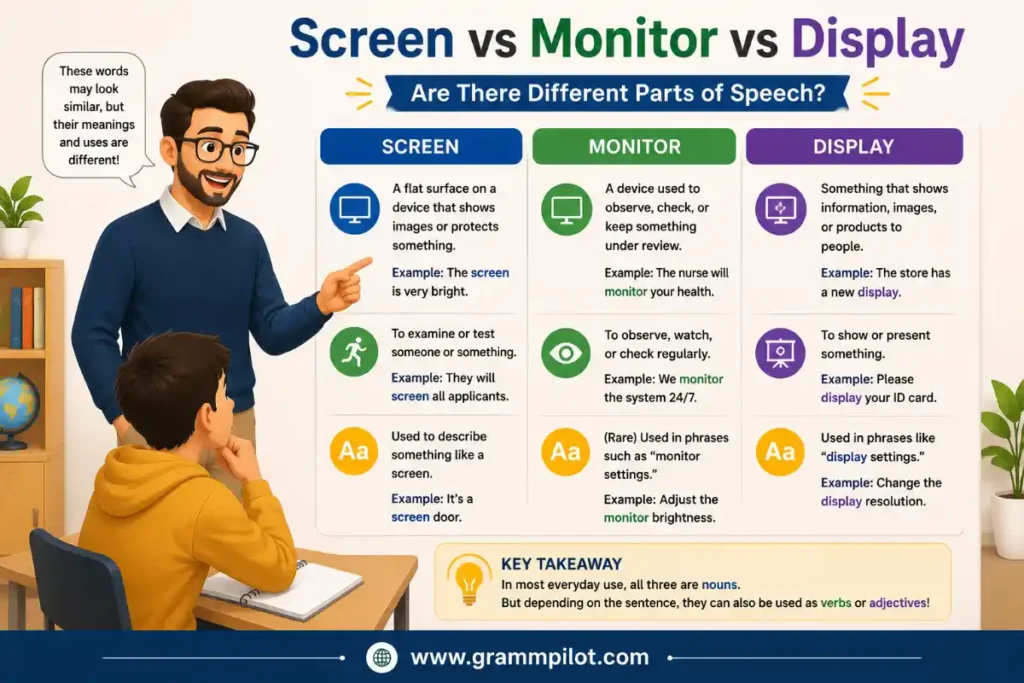
Screen vs Monitor vs Display:Are There Different Parts Of Speech?
Yes. One interesting thing about these words is that they don’t all behave the same way in English.
Screen
Most often, screen is a noun.
Examples:
- The screen is dirty.
- My laptop screen is cracked.
It can also be a verb.
Examples:
- The company screens job applications.
- Doctors screen patients for diseases.
Notice that this verb has nothing to do with computer displays.
Monitor
Monitor works as both a noun and a verb.
As a noun:
- I bought a new monitor.
As a verb:
- Teachers monitor student progress.
- Parents monitor screen time.
Again, the verb means to watch or observe, not to display pictures.
Display
Display is also both a noun and a verb.
As a noun:
- The display is bright.
As a verb:
- The phone displays the weather.
- The museum displays old paintings.
This makes display one of the most flexible words in English.
Is There a Difference Between US and UK English?
For the most part, Americans and British speakers use these words in the same way.
However, there are a few small differences.
| Topic | US English | UK English |
|---|---|---|
| Computer device | Monitor | Monitor |
| Phone surface | Screen | Screen |
| Technology term | Display | Display |
| Television | TV screen | TV screen |
| Cinema | Movie screen | Cinema screen |
The biggest difference is not grammar. It’s vocabulary preferences.
Americans often say:
- computer screen
- monitor
- TV screen
British speakers may say:
- cinema screen
- computer monitor
- display unit (more often in technical settings)
Even so, everyone understands all three words.
Screen vs Monitor vs Display: Which Word Should You Use on a Resume?
A resume should sound clear and professional. If you’re talking about computer equipment, monitor is usually the best choice.
Good Examples
- Installed dual monitors for the design team.
- Configured monitor settings for office computers.
- Tested external monitors before deployment.
If you’re describing a technical feature, display may fit better.
Examples:
- Improved display quality during product testing.
- Evaluated display performance across multiple devices.
Avoid saying only screen unless you’re talking about physical damage or a visible surface.
Example Resume Sentence
Maintained computer monitors and tested display performance for over 100 workstations.
Screen vs Monitor vs Display: Which Word Fits Best in an Essay?
Essays usually need precise language. Ask yourself what you’re actually describing.
Use screen when talking about the visible surface.
Example: Children often spend several hours looking at screens every day.
Use monitor when discussing desktop computer hardware.
Example: Each student used a desktop monitor during the computer science class.
Use display when discussing technology.
Example: Modern smartphones use advanced OLED displays.
Example Essay Paragraph
Many students use digital devices for homework. Looking at a screen for long periods can cause eye strain. Schools also use desktop monitors in computer labs, while newer tablets include high-quality displays that improve readability.
Screen vs Monitor vs Display: Which Word Sounds Best in an Email?
Emails are usually friendly but professional. Choose the simplest word that matches the situation.
If you’re reporting damage
Use screen.
Example: My laptop screen cracked after I accidentally dropped my bag.
If you’re requesting equipment
Use monitor.
Example: Could I receive a second monitor for my workstation?
If you’re discussing specifications
Use display.
Example: The new display supports 4K resolution and HDR.
Screen vs Monitor vs Display: Which Word Should You Use in Text Messages?
Texting is informal, so people almost always choose the shortest and easiest word.
Most common choices:
- screen
- monitor
- display (less common)
Examples:
- My screen froze.
- Your screen is so bright.
- My phone screen finally got fixed.
- My monitor stopped working.
- This display looks amazing.
People rarely use technical phrases like display module in casual texts.
Screen vs Monitor vs Display: Which Word Sounds Best When Speaking?
In conversations, natural language matters more than perfect technical accuracy. Here’s what most native speakers say.
Everyday Conversation
- Look at my phone screen.
- Your monitor is huge.
- This TV has an amazing display.
Talking to a Technician
Be more specific.
Instead of saying: My screen doesn’t work.
Say: The monitor turns on, but the display stays black.
Or:
The screen is cracked, but the display still works.
Specific language helps avoid confusion.
15 Original Example Sentences
These examples show how the words naturally appear in different situations.
Everyday Life
- I cleaned my laptop screen before starting work.
- The monitor on my desk is much larger than my old one.
- My phone’s display looks brighter after the latest update.
School
- Every student had a desktop monitor during the coding class.
- The teacher projected the lesson onto a large screen.
- The classroom display showed today’s homework.
Office
- I connected a second monitor to improve productivity.
- Our meeting room has a touch display for presentations.
- The IT team replaced my damaged monitor yesterday.
Shopping
- This monitor has a higher refresh rate than the cheaper model.
- The store compared OLED and LCD displays side by side.
- I wanted a phone with a brighter display for outdoor use.
Home
- My little brother accidentally scratched the TV screen.
- The display in my car shows fuel level and navigation.
- I adjusted the monitor height to make my desk more comfortable.
Which Word Do Technology Companies Prefer?
If you’ve ever read product pages from companies like Apple, Samsung, Dell, or ASUS, you’ve probably noticed something.
Manufacturers usually prefer display because it covers the complete visual technology inside a device.
You’ll often see phrases like:
- OLED display
- AMOLED display
- Retina display
- Liquid Retina display
- Mini-LED display
- High-resolution display
Computer companies, however, still use monitor when selling desktop accessories.
Examples include:
- 24-inch gaming monitor
- Curved monitor
- Professional monitor
- Portable monitor
Meanwhile, consumers almost always say screen in daily conversation.
This simple pattern explains why all three words continue to exist. Each one serves a slightly different purpose, and choosing the right term depends on what you’re describing and who you’re speaking to.
Screen vs. Display — What’s the Difference?
Many people think screen and display mean exactly the same thing. They often overlap, but they’re not identical.
| Screen | Display |
|---|---|
| The physical surface you look at | The technology that creates and shows images |
| Usually refers to glass or viewing area | Can refer to the image, hardware, or technology |
| More common in everyday speech | More common in technical writing |
| Used for phones, TVs, laptops | Used for phones, TVs, smartwatches, car dashboards, and more |
Example
Imagine your smartphone falls onto the floor.
If the glass cracks, you would say: “My phone screen is cracked.”
If the glass looks fine but nothing appears, you might say: “The display isn’t working.”
The first sentence talks about the outside surface. The second talks about the visual system inside the phone.
Which Should You Choose?
Use screen when talking about the visible surface.
Use display when talking about image quality, resolution, brightness, color, or display technology.
Monitor vs. Display — What’s the Difference?
These two words are closer in meaning, but they still aren’t the same.
| Monitor | Display |
|---|---|
| A complete hardware device | Any system that shows visual information |
| Mostly used for desktop computers | Used for almost every electronic device |
| Includes ports, stand, speakers, and electronics | Focuses on visual output or technology |
| A type of display | A broader category |
Example
A desktop computer has:
- a monitor
- a display panel inside the monitor
- a screen on the front
A smartwatch has:
- a display
- a screen
But it isn’t called a monitor.
That’s why display is the broader word.
Screen vs. Monitor — What’s the Difference?
This is the comparison people ask about most often.
| Screen | Monitor |
|---|---|
| Viewing surface | Complete computer device |
| Can belong to many devices | Mostly connected to desktop computers |
| Casual everyday word | More precise hardware term |
| Refers to one part | Refers to the entire product |
Example
Suppose you buy a new computer.
The whole device sitting on your desk is the monitor.
The glass area showing your work is the screen.
Both words are correct, but they describe different things.
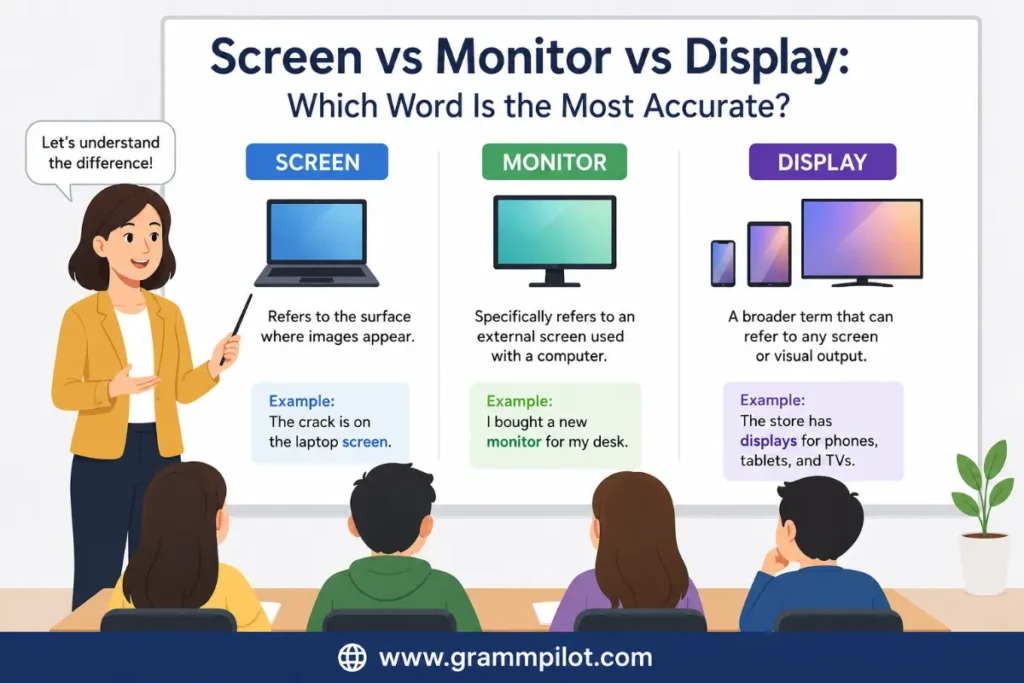
Screen vs Monitor vs Display: Which Word Is the Most Accurate?
There isn’t one perfect answer.
It depends on what you’re describing.
| Situation | Best Choice |
|---|---|
| Cracked glass | Screen |
| Buying desktop hardware | Monitor |
| Talking about OLED or LCD | Display |
| Everyday conversation | Screen |
| Product specifications | Display |
| Office equipment | Monitor |
The best writers don’t always use the fanciest word. They use the clearest one.
Real-Life Situations: Which Word Fits Best?
Let’s look at common situations you may face.
You’re Buying a Desktop Computer
Say: “I’m looking for a 27-inch monitor.”
Don’t say: “I’m looking for a 27-inch screen.”
People will probably understand, but stores usually list the product as a monitor.
You’re Repairing a Phone
Say: “The screen is cracked.”
If the phone turns on but shows strange colors, say: “The display has stopped working.”
These two problems may require different repairs.
You’re Watching a Movie
The natural choice is screen.
Examples:
- The movie looked great on the big screen.
- We sat close to the screen.
Most people wouldn’t say: We sat close to the display.
That sounds too technical.
You’re Reading Product Specifications
You’ll usually see display.
Examples:
- 6.7-inch OLED display
- HDR display
- 120 Hz display
- High-resolution display
Manufacturers almost always prefer this wording.
You’re Setting Up an Office
Use monitor.
Examples:
- Dual monitors improve productivity.
- The office bought new monitors.
- Every employee received two monitors.
Common Mistakes People Make About” Screen vs Monitor vs Display”
Even native English speakers sometimes mix these words.
Here are the mistakes you should avoid.
Mistake 1: Calling Every Device a Monitor
Not every device is a monitor.
Incorrect: My smartwatch monitor looks great.
Correct: My smartwatch display looks great.
Or:
My smartwatch screen looks great.
Mistake 2: Saying “Display” When You Mean the Glass
Incorrect: My display is scratched.
If you’re talking about the outside surface, say: My screen is scratched.
Mistake 3: Using “Screen” for Product Names
If you’re shopping online, manufacturers usually use monitor or display.
For example:
- Gaming Monitor ✔
- Portable Monitor ✔
- OLED Display ✔
Instead of:
- Gaming Screen ✘
Mistake 4: Thinking They Always Mean Exactly the Same Thing
Sometimes they do.
Sometimes they don’t.
Understanding the small differences makes your English more accurate.
Mistake 5: Mixing Technical and Everyday Language
Imagine you’re talking with friends.
Natural: Your screen looks amazing.
Technical: Your display panel produces excellent color accuracy.
Both are correct, but they fit different audiences.
Screen vs Monitor vs Display: When Should You NOT Use Each Word?
Knowing when not to use a word is just as important.
Don’t Use “Screen” When…
- buying a desktop monitor
- discussing monitor hardware
- writing technical specifications
- comparing display technologies
Instead, use:
- monitor
- display
Don’t Use “Monitor” When…
- talking about phone glass
- discussing televisions in general
- describing cinema screens
- referring to tablets or smartwatches
Instead, use:
- screen
- display
Don’t Use “Display” When…
- casual conversation sounds more natural
- talking about cracked phone glass
- describing movie theater screens
Instead, use: screen
Antonyms (Opposites)
These words don’t have perfect opposites because they name objects rather than ideas.
However, depending on the context, these opposite or contrasting terms may help.
| Word | Possible Opposite |
|---|---|
| Display | Hide |
| Display | Conceal |
| Display | Cover |
| Screen (verb) | Reveal |
| Visible | Hidden |
| On-screen | Off-screen |
| Digital | Physical (in some contexts) |
Example: The information remained hidden instead of being displayed.
Quick Tips for Choosing the Right Word
If you’re unsure, ask yourself one question: What exactly am I talking about?
Use this simple guide.
Choose Screen if you’re talking about:
- cracked glass
- fingerprints
- cleaning
- watching videos
- phone screens
- laptop screens
- TV screens
Monitor if you’re talking about:
- desktop computers
- office equipment
- gaming setups
- external displays
- buying hardware
Choose Display if you’re talking about:
- OLED
- LCD
- AMOLED
- brightness
- color quality
- resolution
- refresh rate
- visual technology
You’ll rarely go wrong if you follow this rule.
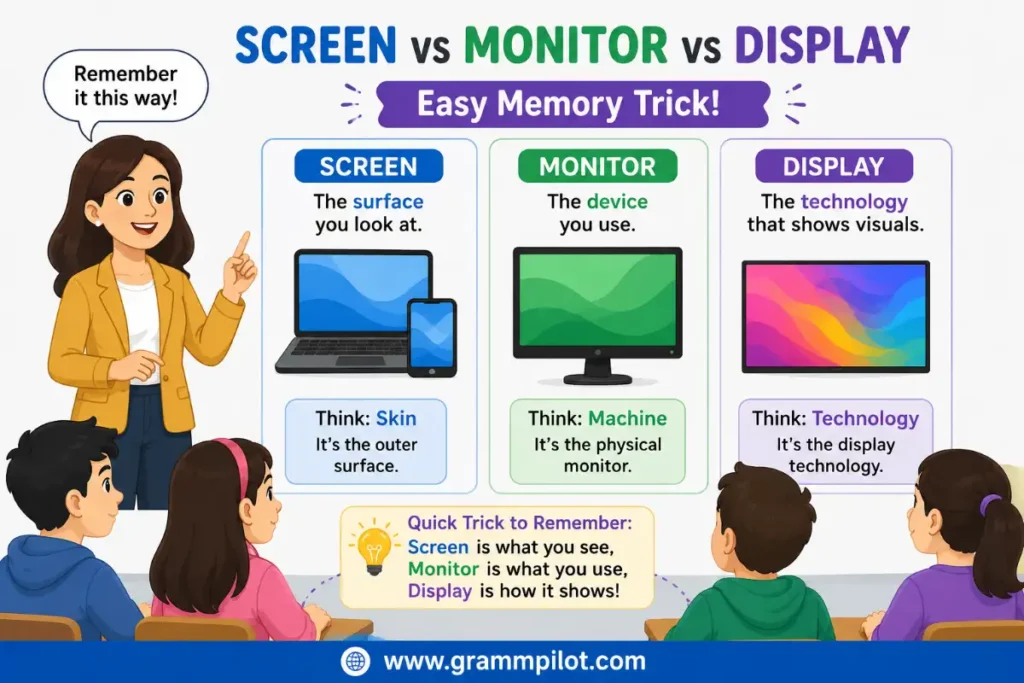
Easy Memory Trick
Here’s a simple way to remember everything.
Screen = What you look through.
Think of the visible front surface.
Monitor = The whole computer device.
Think of the hardware sitting on your desk.
Display = The technology showing the picture.
Think of the visual system inside the device.
One short sentence can help you remember:
Every monitor has a screen and a display, but not every screen or display is a monitor.
That’s the easiest way to understand Screen vs Monitor vs Display without memorizing complicated definitions.
Quick Comparison Chart of “Screen vs Monitor vs Display”
| Feature | Screen | Monitor | Display |
|---|---|---|---|
| Everyday word | ✔ | ✔ | ✔ |
| Technical word | Sometimes | Yes | Yes |
| Physical surface | ✔ | Partly | Sometimes |
| Complete hardware device | ✘ | ✔ | ✘ |
| Technology term | Sometimes | Sometimes | ✔ |
| Used for phones | ✔ | ✘ | ✔ |
| Used for desktop computers | ✔ | ✔ | ✔ |
| Used in product specifications | Rarely | Sometimes | Very often |
| Most natural in conversation | ✔ | ✔ | Sometimes |
| Broadest meaning | ✘ | ✘ | ✔ |
By now, you should feel comfortable choosing the right word in almost any situation. Whether you’re chatting with friends, buying a new computer, reading product specifications, or troubleshooting a device, understanding these subtle differences will help you communicate more clearly and confidently.
Conclusion
Understanding Screen vs Monitor vs Display is easier once you know what each word actually refers to. A screen is the surface you look at, a monitor is the complete computer display device, and a display is the technology that creates and shows images. While people often use these words interchangeably in everyday conversation, choosing the correct one makes your communication clearer and more accurate.
The next time you’re buying a computer, reading product specifications, troubleshooting a device, or simply talking about technology, you’ll know which word fits best. Remember the simple rule: screen for the viewing surface, monitor for the desktop hardware, and display for the visual technology. With a little practice, using these terms correctly will become second nature.
Frequently Asked Questions
1. Is a screen the same as a monitor?
Not exactly. A screen is the visible surface that shows images, while a monitor is the complete hardware device. In discussions about Screen vs Monitor vs Display, this is one of the most important differences to understand.
2. What’s the difference between a display and a screen?
A display refers to the technology or system that presents images, while a screen usually refers to the physical surface you look at. In casual conversation, many people use them interchangeably.
3. Can I call my laptop a monitor?
No. A laptop has a screen and a display, but the entire laptop is not called a monitor. The word monitor is mainly used for separate desktop display devices.
4. What’s another way to say screen?
Depending on the situation, you can use words like display, panel, touchscreen, viewing surface, display panel, or visual display. The best choice depends on whether you’re speaking casually or discussing technical details.
5. Should I say monitor or display when buying a computer?
If you’re buying a separate desktop display, monitor is the correct word. If you’re comparing technologies like OLED, LCD, or AMOLED, display is usually the better choice.
6. Which word do technology companies usually use?
Most manufacturers prefer display when describing features such as resolution, brightness, refresh rate, and panel technology. Computer accessory brands usually use monitor for standalone desktop products.
7. Is “Screen vs Monitor vs Display” important in everyday English?
Yes, but mostly for clarity. Most people understand all three words in casual conversations. However, using the correct term helps when shopping for electronics, reading specifications, or explaining technical problems.